How to Change Your Shutdown Target in Monopoly Go
Master Monopoly Go Shutdown's Switch Opponent to cycle randoms, hit friends, or take revenge for bigger rewards and lower risk.
In Monopoly Go, the Shutdown mini-game is one of the main ways to earn extra cash by targeting another player's landmarks. After a player lands on a Railroad Tile, the game may launch a Shutdown, and by default the opponent is selected at random. This random matchmaking can be useful, but it is not the only option. The Shutdown interface includes a “Switch Opponent” button that opens a target selection menu. From there, a player can search for a different random rival, attack a specific friend, or take revenge on someone who recently damaged their board. Changing targets is an important part of maximizing rewards and controlling the social side of the game, because different choices lead to different payouts and retaliation risks.

Understanding the Switch Opponent Button
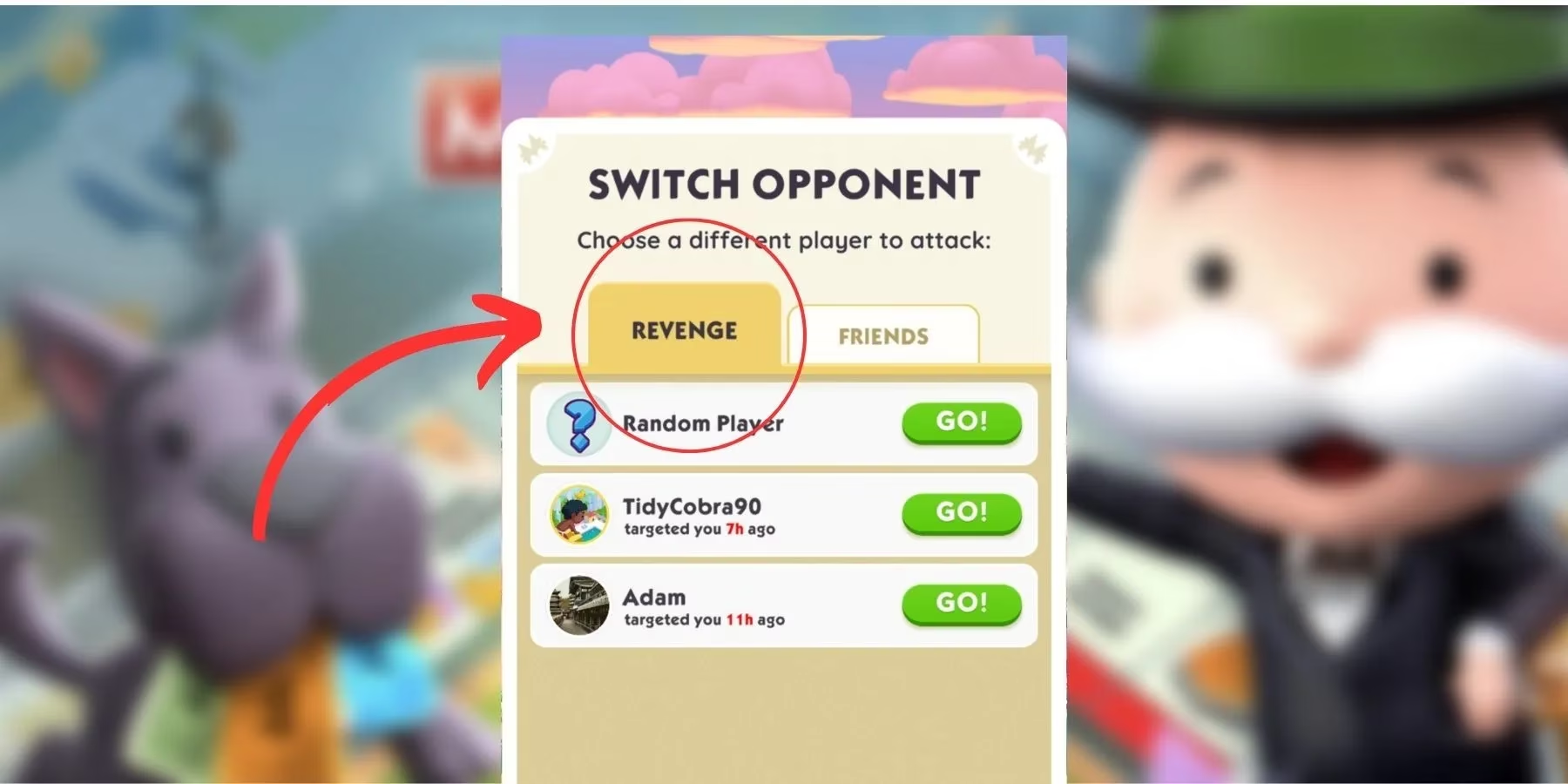
After landing on a Railroad Tile and initiating a Shutdown, a player should tap the “Switch Opponent” button at the bottom of the screen. The menu that appears gives several ways to adjust the target. A player can select “Random Player” under the Revenge tab to search for another enemy when the current opponent seems well protected. Cycling through random opponents is a form of scouting. If a player manages to destroy an enemy who has no shields, the reward is bigger than attacking a protected landmark. For this reason, many players repeatedly cycle through random boards until they find an opponent with unprotected landmarks.

Attacking Friends and Spared Cities
To change the opponent to a specific friend, a player should click the “Switch Opponent” button and then open the “Friends” tab. This section lists available friends, and selecting one takes the player to that friend’s board. Attacking properties there earns rewards in the same way as attacking a random target. However, the social cost is higher, because the targeted friend receives a notification about the attack. The friend then has the option to retaliate during their next Shutdown. Some players use the Friends tab to create friendly competition, while others may choose to avoid friends by selecting a random opponent instead. The choice depends on whether the player wants to spare certain people or is willing to trade attacks for extra cash.

Using the Revenge Tab
Instead of attacking a random player or a friend, a player can target someone who has already attacked them. To do this, they should tap “Switch Opponent” and open the “Revenge” tab. This tab shows recent attackers, making it easy to identify a suitable target. Only one player can be selected for revenge at a time, so players should think carefully before hitting the attack button. The best approach is to choose the earliest intruder for optimal retaliation. The earliest attacker may have used shields or spent cash since the original attack, which can make them an easier target. Revenge is also satisfying because it allows a player to answer an attack directly rather than waiting for random matchmaking.
Checking the Board Report and Timeline
Monopoly Go provides a daily Board Report that lists the players who have attacked a user’s landmarks. This report is the easiest way to see who has been targeting a board, but it can be missed if the player skips through notifications. Fortunately, the same information is available manually. A player can open the Friends section and tap on Timeline. The Timeline shows a summary of recent board events, including a list of intruders who have hit the player’s landmarks. Reviewing this list before starting a Shutdown helps players decide whether to pursue revenge or look for an entirely different target.

Summary of Target Options
| Target option | Where to find it | Best use case |
|---|---|---|
| Random Player | Revenge tab after tapping Switch Opponent | Scouting for unprotected landmarks |
| Friends | Friends tab after tapping Switch Opponent | Attacking or avoiding specific friends |
| Revenge | Revenge tab after tapping Switch Opponent | Retaliating against recent attackers |
Practical Tips for Shutdown Success
-
Before attacking, check the Timeline to see recent attackers and potential revenge targets.
-
If a random target has shields, use Switch Opponent again to cycle to another board.
-
Focus on opponents with destroyed or unshielded landmarks to earn bigger rewards.
-
Be careful when attacking friends, since they will receive a notification and can retaliate.
-
Use shields on your own landmarks to avoid appearing as an easy target in someone else’s revenge list.
-
Since only one revenge target can be selected at a time, choose the earliest attacker for the best chance of a successful strike.
Monopoly Go is available now for mobile devices, and as of 2026 the Shutdown system remains one of the most active parts of the game. Although seasonal updates may add new themes or events, the core method for changing a Shutdown target continues to rely on the Switch Opponent button. Players who regularly check the Friends tab, Revenge tab, and Timeline will have more control over their attacks, earn cash more efficiently, and keep their own board safer from retaliation.